
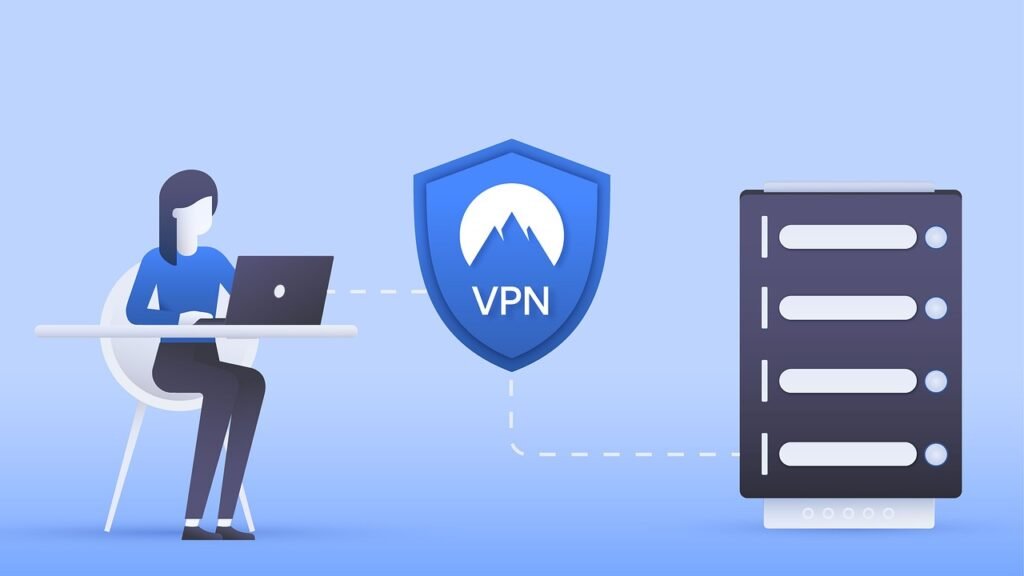
Securing your network infrastructure is paramount in today’s digital landscape, and a firewall is your first line of defense. But managing firewalls, especially across complex environments, can be a daunting task. Firewall management tools offer a centralized and streamlined approach to configuration, monitoring, and compliance, saving you time, reducing errors, and strengthening your overall security posture. Let’s delve into the world of firewall management tools and explore how they can revolutionize your security operations.
Understanding Firewall Management Challenges
Firewall management is more than just setting up rules and forgetting about them. Modern networks are dynamic, constantly evolving with new applications, users, and security threats. This complexity makes effective firewall management a continuous challenge.
Complexity of Rule Management
- Rule Bloat: Over time, firewalls accumulate a large number of rules, many of which become obsolete or redundant. This “rule bloat” can significantly degrade performance and make it difficult to identify and remove unnecessary rules. A study by the Ponemon Institute found that enterprises estimate 28% of firewall rules are shadow rules or overly permissive, increasing risk and potentially degrading performance.
- Rule Conflicts: Incorrectly configured or conflicting rules can create security gaps, allowing unauthorized access to sensitive data. Identifying and resolving these conflicts manually is time-consuming and prone to error.
- Manual Processes: Many organizations still rely on manual processes for managing firewall rules, leading to inconsistencies, errors, and increased administrative overhead.
Visibility and Monitoring
- Lack of Centralized Visibility: Managing multiple firewalls from different vendors can be challenging without a centralized view of all rules, configurations, and security events.
- Limited Real-Time Monitoring: Without real-time monitoring capabilities, it’s difficult to detect and respond to security threats in a timely manner.
- Ineffective Reporting: Generating comprehensive and insightful reports on firewall performance and security posture can be a manual and time-consuming process.
Compliance and Auditing
- Meeting Regulatory Requirements: Organizations must comply with various regulations, such as PCI DSS, HIPAA, and GDPR, which require strict firewall management practices.
- Audit Trails: Maintaining detailed audit trails of all firewall changes is essential for demonstrating compliance and investigating security incidents.
- Lack of Automation: Manually auditing firewall configurations and generating compliance reports can be a resource-intensive and error-prone process.
Benefits of Using Firewall Management Tools
Investing in a firewall management tool can significantly improve your organization’s security posture and streamline your IT operations.
Centralized Management
- Single Pane of Glass: Manage all your firewalls, regardless of vendor, from a single, centralized console.
- Simplified Configuration: Easily configure and deploy firewall rules across multiple devices.
- Automation: Automate repetitive tasks, such as rule updates, policy enforcement, and compliance reporting. For example, you can schedule automated cleanup tasks to remove unused or redundant rules at regular intervals.
Enhanced Visibility and Control
- Real-Time Monitoring: Gain real-time visibility into firewall activity and security events.
- Traffic Analysis: Analyze network traffic patterns to identify potential security threats and optimize firewall performance.
- Proactive Threat Detection: Detect and prevent security threats before they can impact your network.
Improved Compliance and Security
- Automated Compliance Reporting: Generate compliance reports with ease, demonstrating adherence to regulatory requirements.
- Audit Trail Tracking: Maintain a detailed audit trail of all firewall changes for accountability and incident investigation.
- Reduced Human Error: Minimize the risk of human error through automation and standardized workflows.
Increased Efficiency and Reduced Costs
- Streamlined Operations: Streamline firewall management tasks, freeing up IT staff to focus on other critical projects.
- Reduced Administrative Overhead: Reduce administrative overhead by automating repetitive tasks and simplifying complex configurations.
- Improved Security Posture: Strengthen your organization’s security posture, reducing the risk of costly security breaches.
Key Features to Look for in a Firewall Management Tool
When selecting a firewall management tool, consider the following key features:
Centralized Rule Management
- Rule Optimization: Automatically identify and remove redundant or conflicting rules.
- Rule Base Search: Quickly search for specific rules based on various criteria, such as source/destination IP address, port, or protocol.
- Policy Enforcement: Enforce consistent security policies across all your firewalls.
- Example: A good tool will allow you to easily identify and remove a rule that allows unrestricted access to a server that is no longer in production.
Real-Time Monitoring and Reporting
- Security Event Monitoring: Monitor security events in real-time, alerting you to potential threats.
- Traffic Analysis: Analyze network traffic patterns to identify anomalies and potential security breaches.
- Customizable Dashboards: Create custom dashboards to visualize key performance indicators (KPIs) and security metrics.
- Reporting Templates: Generate pre-built reports for compliance and security audits.
Automation and Orchestration
- Automated Rule Updates: Automatically update firewall rules based on threat intelligence feeds.
- Workflow Automation: Automate complex firewall management tasks, such as change management and incident response.
- API Integration: Integrate with other security tools and systems for seamless workflow orchestration.
- Example: Automate the process of adding a newly discovered malicious IP address to your firewall’s blacklist across all devices.
Compliance and Auditing
- Compliance Templates: Pre-built compliance templates for common regulations, such as PCI DSS, HIPAA, and GDPR.
- Audit Trail Tracking: Maintain a detailed audit trail of all firewall changes for accountability and incident investigation.
- Risk Assessment: Identify and assess potential security risks based on firewall configurations.
Popular Firewall Management Tools
The market offers a variety of firewall management tools, each with its unique strengths and weaknesses. Here are a few popular options:
- SolarWinds Network Configuration Manager: Offers centralized configuration management, compliance reporting, and change tracking for network devices, including firewalls.
- AlgoSec Security Management Suite: Provides comprehensive firewall management, risk analysis, and compliance automation.
- Tufin Orchestration Suite: Automates security policy management across multi-vendor, hybrid cloud environments.
- FireMon Security Manager: Delivers real-time visibility, policy optimization, and compliance automation for firewalls.
- Skybox Security Policy Management: Offers comprehensive security policy management, including risk assessment, vulnerability management, and compliance reporting.
When evaluating these tools, consider your organization’s specific needs, budget, and technical expertise. A trial period or demo is highly recommended before making a purchase.
Best Practices for Implementing a Firewall Management Tool
Implementing a firewall management tool is not a one-time project, but rather an ongoing process. Here are some best practices to ensure a successful implementation:
Planning and Preparation
- Define your requirements: Clearly define your organization’s needs and goals for firewall management.
- Assess your current environment: Evaluate your existing firewall infrastructure and identify any gaps or weaknesses.
- Develop a detailed implementation plan: Outline the steps required to deploy and configure the firewall management tool.
- Conduct a Proof of Concept (POC): Test the tool in a non-production environment to ensure it meets your requirements.
Implementation and Configuration
- Start small: Begin by managing a small subset of your firewalls and gradually expand the scope as you gain experience.
- Configure the tool correctly: Ensure that the tool is properly configured to monitor and manage your firewalls effectively.
- Integrate with other security systems: Integrate the tool with your other security systems, such as SIEM and vulnerability management tools.
Ongoing Maintenance and Monitoring
- Regularly update the tool: Keep the tool up-to-date with the latest security patches and features.
- Monitor the tool’s performance: Ensure that the tool is performing optimally and identify any potential issues.
- Review and update your firewall policies: Regularly review and update your firewall policies to ensure they are effective and aligned with your organization’s security goals.
- Example: Schedule a quarterly review of firewall rules to identify and remove any that are no longer needed or are overly permissive.
Conclusion
Firewall management tools are essential for organizations of all sizes looking to improve their security posture and streamline their IT operations. By providing centralized management, enhanced visibility, and automation capabilities, these tools can help you overcome the challenges of managing complex firewall environments. Investing in a robust firewall management tool and following best practices for implementation and maintenance will significantly reduce your risk of security breaches, improve compliance, and free up valuable IT resources. Take the time to evaluate your needs, explore the available options, and choose a tool that best fits your organization’s specific requirements. The result will be a more secure, efficient, and resilient network.







