
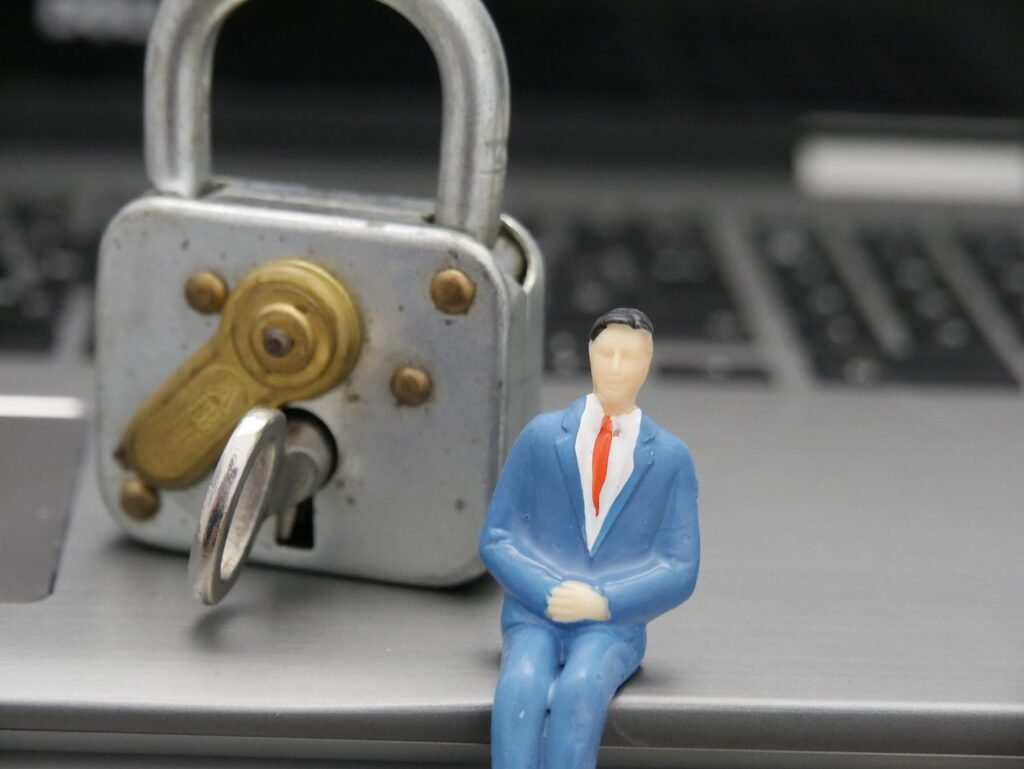
In today’s digital landscape, security isn’t just a desirable feature; it’s a fundamental necessity. From personal data to sensitive business information, the stakes are higher than ever. Implementing robust security best practices is crucial for individuals and organizations alike to protect against evolving cyber threats and maintain trust. This blog post will delve into essential security measures that can significantly enhance your overall security posture.
Strong Password Management
Creating Strong Passwords
A strong password is the first line of defense against unauthorized access. Weak passwords are easily cracked through brute-force attacks or dictionary attacks.
- Length: Aim for at least 12 characters. Longer passwords are exponentially more difficult to crack.
- Complexity: Combine uppercase and lowercase letters, numbers, and symbols.
- Avoid Personal Information: Don’t use easily guessable information like your name, birthday, or pet’s name.
- Example: Instead of “Password123”, try “Tr!p@RoundTheW0rld_2024”.
Password Managers
Manually managing multiple complex passwords can be overwhelming. Password managers offer a secure solution.
- Benefits:
Generate strong, unique passwords for each account.
Store passwords securely using encryption.
Automatically fill in login credentials.
Reduce the risk of reusing the same password across multiple accounts.
- Popular Options: LastPass, 1Password, Dashlane.
Multi-Factor Authentication (MFA)
Even with a strong password, MFA adds an extra layer of security. It requires users to provide multiple verification factors.
- Common Factors:
Something you know: Password, PIN
Something you have: Security token, smartphone
Something you are: Biometric data (fingerprint, facial recognition)
- Enable MFA: Wherever available, especially for critical accounts like email, banking, and social media. Most services provide options for using authenticator apps like Google Authenticator or Authy.
Securing Your Network
Firewalls
A firewall acts as a barrier between your network and the outside world, blocking unauthorized access.
- Types: Hardware firewalls, software firewalls.
- Configuration: Ensure your firewall is properly configured to block malicious traffic while allowing legitimate communication.
- Regular Updates: Keep your firewall software updated to protect against newly discovered vulnerabilities.
Wi-Fi Security
Unsecured Wi-Fi networks are easy targets for hackers.
- Use Strong Encryption: Always use WPA2 or WPA3 encryption for your Wi-Fi network. Avoid using WEP, which is outdated and easily cracked.
- Change Default Router Password: The default password for your router is widely known. Change it to a strong, unique password immediately.
- Enable Guest Network: Create a separate guest network for visitors to prevent them from accessing your main network.
- Disable WPS: Wi-Fi Protected Setup (WPS) can be vulnerable to attacks. Disable it to enhance security.
Virtual Private Networks (VPNs)
VPNs encrypt your internet traffic and mask your IP address, providing an extra layer of privacy and security, especially when using public Wi-Fi.
- Benefits:
Protect your data from eavesdropping.
Bypass geo-restrictions.
Mask your IP address.
- Choose a Reputable VPN Provider: Research different VPN providers and choose one with a strong track record of security and privacy.
Protecting Your Devices
Software Updates
Software updates often include security patches that address vulnerabilities.
- Operating System: Keep your operating system (Windows, macOS, Linux) updated to the latest version.
- Applications: Regularly update your web browsers, antivirus software, and other applications.
- Enable Automatic Updates: Whenever possible, enable automatic updates to ensure you always have the latest security patches.
Antivirus and Anti-Malware Software
Antivirus and anti-malware software can detect and remove malicious software from your devices.
- Choose a Reputable Provider: Select a reputable antivirus solution from a trusted vendor.
- Regular Scans: Schedule regular scans to check for malware.
- Keep Definitions Updated: Ensure your antivirus software has the latest virus definitions to protect against new threats.
Device Encryption
Encrypting your devices protects your data in case of theft or loss.
- Enable Full Disk Encryption: Use built-in encryption tools like BitLocker (Windows) or FileVault (macOS) to encrypt your entire hard drive.
- Mobile Device Encryption: Enable encryption on your smartphones and tablets.
Data Backup and Recovery
Regular Backups
Regularly backing up your data ensures you can recover from data loss due to hardware failure, malware attacks, or accidental deletion.
- Types of Backups:
Full Backups: Create a complete copy of all your data.
Incremental Backups: Back up only the changes made since the last backup.
Cloud Backups: Store your data in the cloud.
Local Backups: Store your data on an external hard drive or other local storage device.
- The 3-2-1 Rule: Follow the 3-2-1 rule of backup: Keep three copies of your data, on two different media, with one copy stored offsite.
Recovery Planning
Having a recovery plan in place helps you quickly restore your data and systems in case of a disaster.
- Test Your Backups: Regularly test your backups to ensure they are working properly and that you can restore your data.
- Document Your Recovery Process: Create a detailed document outlining the steps you need to take to recover your data and systems.
Awareness and Education
Phishing Awareness
Phishing attacks are a common way for hackers to steal sensitive information.
- Recognizing Phishing Emails: Be suspicious of emails that ask for personal information, contain poor grammar, or create a sense of urgency.
- Verify Sender: Always verify the sender of an email before clicking on any links or opening any attachments.
- Hover Over Links: Hover your mouse over links to see where they lead before clicking on them.
- Never Enter Credentials on Suspicious Sites: Always access websites directly instead of clicking on links in emails.
Social Engineering Awareness
Social engineering attacks manipulate people into divulging sensitive information or performing actions that compromise security.
- Be Skeptical: Be wary of unsolicited requests for information, especially if they seem unusual or suspicious.
- Verify Identities: Always verify the identity of individuals before providing them with any information.
- Report Suspicious Activity: Report any suspicious activity to your IT department or security team.
Conclusion
Implementing these security best practices can significantly enhance your overall security posture and protect you from a wide range of cyber threats. While no security measures are foolproof, adopting a layered approach and staying informed about the latest threats will greatly reduce your risk. Remember that security is an ongoing process, not a one-time fix. Stay vigilant, educate yourself, and regularly review and update your security measures to adapt to the ever-evolving threat landscape.







