
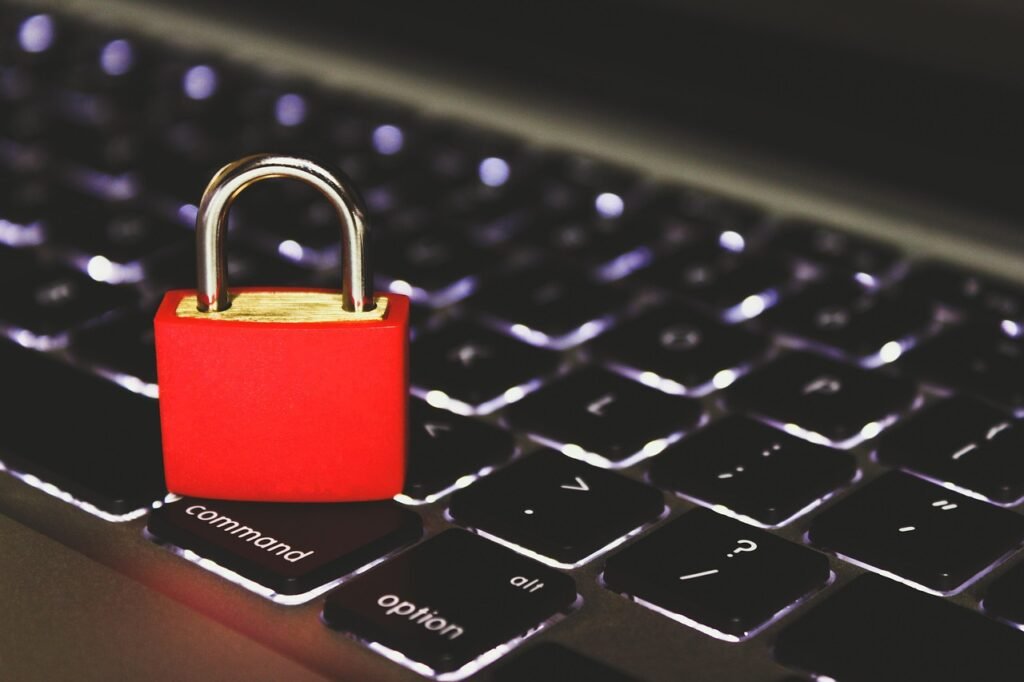
Navigating the digital world requires constant vigilance, and one of the most prevalent threats lurking online is the insidious phishing attack. These deceptive schemes aim to trick you into divulging sensitive information, from login credentials to financial details. Understanding how phishing works, recognizing its various forms, and implementing robust security measures are crucial to safeguarding yourself and your organization from becoming a victim. Let’s delve into the anatomy of phishing and equip you with the knowledge to stay one step ahead.
What is Phishing?
Phishing is a type of cyberattack that uses deceptive emails, websites, text messages, or other forms of communication to trick individuals into revealing sensitive information. Attackers masquerade as trustworthy entities, such as banks, retailers, or government agencies, to gain the victim’s trust. The goal is to steal personal data, financial information, or login credentials that can be used for identity theft, fraud, or unauthorized access to systems.
Phishing Attack Techniques
- Deceptive Emails: These emails often contain urgent or alarming messages, prompting immediate action. They may include links to fake websites that resemble legitimate login pages or forms.
- Spear Phishing: A highly targeted form of phishing aimed at specific individuals or groups within an organization. Attackers gather information about their targets to craft personalized and convincing messages.
- Whaling: A type of spear phishing that targets high-profile individuals, such as CEOs or executives, with the aim of stealing sensitive corporate information.
- Smishing: Phishing attacks carried out via SMS (Short Message Service) or text messages.
- Vishing: Phishing attacks conducted over the phone, where attackers impersonate legitimate organizations to solicit information.
- Angler Phishing: A type of phishing that targets social media users by impersonating customer service representatives.
Common Phishing Tactics
- Creating a Sense of Urgency: Attackers often use time-sensitive language or threats to pressure victims into acting quickly without thinking.
Example: “Your account will be suspended if you don’t update your information immediately.”
- Impersonating Trusted Brands: Using logos, branding, and language that mimic legitimate organizations.
Example: A fake email that looks identical to one from your bank.
- Exploiting Emotional Responses: Using fear, excitement, or curiosity to manipulate victims into clicking links or providing information.
* Example: “You’ve won a free gift card! Click here to claim it.”
- Using Misspellings and Grammatical Errors: While increasingly less common, some phishing attempts still contain obvious errors, indicating a lack of professionalism and potential illegitimacy.
- Requesting Personal Information: Asking for sensitive details like passwords, social security numbers, or bank account information.
Identifying Phishing Attempts
Being able to identify phishing attempts is crucial for protecting yourself and your data. There are several red flags to watch out for that can help you spot a potential scam.
Analyzing Email Headers
- Check the “From” Address: Is the email address from a legitimate domain? Be wary of generic domains (e.g., @gmail.com) or misspelled domain names that closely resemble legitimate ones. Mouse over the sender’s name to reveal the full email address; don’t just rely on the displayed name.
- Examine the “Reply-To” Address: Does the reply-to address match the sender’s address? A mismatch could indicate a phishing attempt.
- Inspect the Email Headers: In some cases, you can view the full email headers to see the email’s origin and path. This can reveal discrepancies or suspicious routing.
Evaluating Email Content
- Watch for Suspicious Links: Hover over links before clicking to see where they lead. If the URL doesn’t match the apparent destination or contains unusual characters, it’s likely a phishing attempt.
- Look for Generic Greetings: Phishing emails often use generic greetings like “Dear Customer” instead of addressing you by name.
- Be Wary of Attachments: Avoid opening attachments from unknown or suspicious senders, as they may contain malware.
- Question Unusual Requests: Be suspicious of requests for personal information, passwords, or financial details via email. Legitimate organizations rarely ask for such information through email.
Verifying Website Security
- Check for HTTPS: Ensure that the website URL starts with “https://” and that a padlock icon appears in the address bar. This indicates that the connection is encrypted and more secure.
- Verify the Domain Name: Carefully examine the domain name for misspellings or variations of legitimate website addresses.
- Review the Website’s Privacy Policy and Terms of Service: Legitimate websites will have clear and comprehensive privacy policies and terms of service.
Protecting Yourself from Phishing Attacks
Prevention is the best defense against phishing attacks. By taking proactive steps to protect your information and devices, you can significantly reduce your risk of becoming a victim.
Implementing Security Measures
- Use Strong Passwords: Create strong, unique passwords for all your online accounts. Use a combination of uppercase and lowercase letters, numbers, and symbols.
- Enable Multi-Factor Authentication (MFA): MFA adds an extra layer of security by requiring a second verification method, such as a code sent to your phone, in addition to your password.
- Keep Software Updated: Regularly update your operating system, web browser, and other software to patch security vulnerabilities.
- Install Antivirus and Anti-Malware Software: Use reputable antivirus and anti-malware software to protect your devices from malicious software.
- Use a Password Manager: A password manager can securely store your passwords and generate strong, unique passwords for each of your accounts.
Practicing Safe Online Habits
- Be Cautious of Suspicious Emails and Links: Avoid clicking on links or opening attachments from unknown or suspicious senders.
- Verify Information Requests: If you receive a request for personal information, contact the organization directly to verify the request before providing any information. Use a phone number or website address that you know to be legitimate.
- Think Before You Click: Take a moment to evaluate the situation and consider whether the request is legitimate. Don’t be pressured into acting quickly without thinking.
- Educate Yourself and Others: Stay informed about the latest phishing tactics and share your knowledge with family, friends, and colleagues.
Reporting Phishing Attempts
Reporting phishing attempts helps protect others from falling victim to the same scams.
- Report to the FTC: Report phishing emails and websites to the Federal Trade Commission (FTC) at ftc.gov/complaint.
- Report to the Anti-Phishing Working Group (APWG): The APWG is an industry association that combats phishing and other online fraud. You can report phishing attempts to them at reportphishing@apwg.org.
- Report to Your Email Provider: Most email providers have a feature for reporting phishing emails.
Phishing in the Workplace
Phishing attacks targeting employees are a significant threat to businesses. Organizations must implement robust security measures and provide comprehensive training to protect their sensitive data and systems.
Employee Training and Awareness
- Regular Training Sessions: Conduct regular training sessions to educate employees about phishing tactics and how to identify them.
- Simulated Phishing Attacks: Conduct simulated phishing attacks to test employee awareness and identify areas for improvement.
- Clear Reporting Procedures: Establish clear procedures for employees to report suspicious emails or incidents.
Security Policies and Procedures
- Implement Strong Password Policies: Enforce strong password policies that require employees to use complex passwords and change them regularly.
- Restrict Access to Sensitive Data: Limit access to sensitive data to only those employees who need it to perform their job duties.
- Use Multi-Factor Authentication: Implement MFA for all critical systems and applications.
- Monitor Network Traffic: Monitor network traffic for suspicious activity that could indicate a phishing attack.
Incident Response Plan
- Develop an Incident Response Plan: Create a detailed incident response plan that outlines the steps to be taken in the event of a phishing attack.
- Isolate Affected Systems: Quickly isolate any systems that have been compromised to prevent further damage.
- Notify Stakeholders: Notify affected employees, customers, and other stakeholders as appropriate.
- Conduct a Post-Incident Review: After an incident, conduct a thorough review to identify the root cause and improve security measures.
Conclusion
Phishing attacks are a persistent and evolving threat in the digital landscape. By understanding how these scams work, recognizing the red flags, and implementing proactive security measures, you can significantly reduce your risk of becoming a victim. Stay vigilant, practice safe online habits, and continuously educate yourself and others about the latest phishing tactics. Remember, a moment of caution can save you from a world of trouble.







