
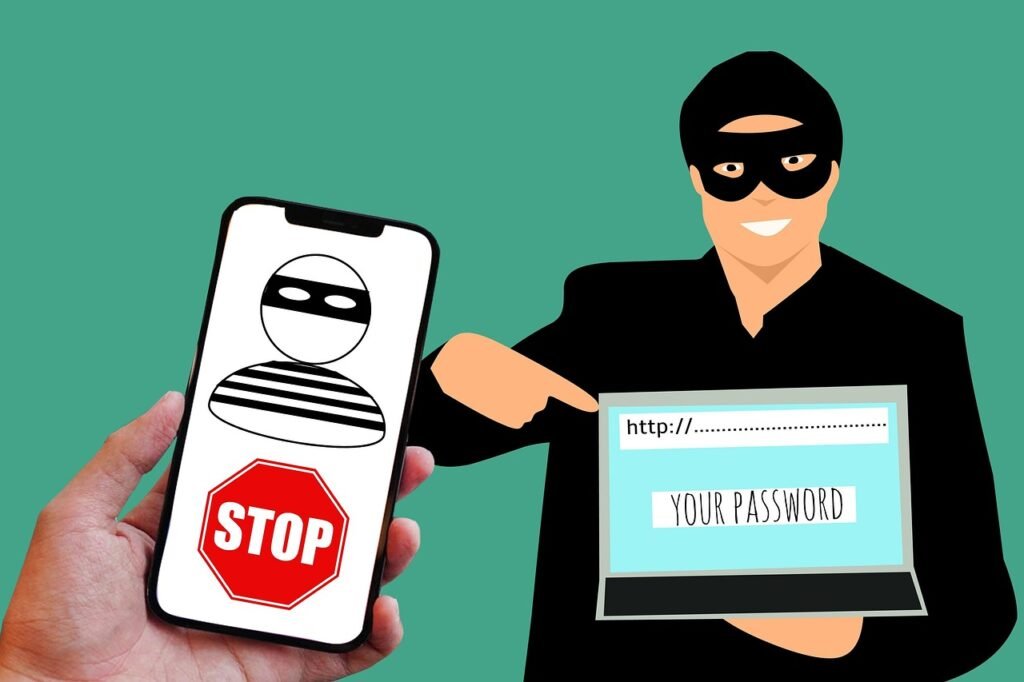
Phishing attacks, a form of cybercrime where attackers disguise themselves as trustworthy entities to trick individuals into revealing sensitive information, are becoming increasingly sophisticated. Recognizing the subtle warning signs can be the difference between safeguarding your personal and financial data and becoming a victim. This post will delve into the key phishing indicators that everyone should be aware of, empowering you to identify and avoid these malicious schemes.
Understanding the Basics of Phishing
What is Phishing?
Phishing is a type of social engineering attack where cybercriminals attempt to steal sensitive information such as:
- Usernames
- Passwords
- Credit card details
- Social Security numbers
They do this by disguising themselves as a legitimate entity, often through email, but also via text messages (smishing), phone calls (vishing), or fake websites. The goal is to trick the victim into clicking a malicious link, opening a compromised attachment, or divulging personal information directly. According to the FBI’s Internet Crime Complaint Center (IC3), phishing was the most prevalent type of cybercrime in 2023, highlighting the importance of understanding and identifying these threats.
Common Phishing Tactics
Phishing attacks often rely on manipulating human psychology. Attackers use tactics such as:
- Creating a sense of urgency: Implying immediate action is required (e.g., “Your account will be suspended if you don’t update your password immediately!”).
- Appealing to authority: Impersonating a trusted organization or figure (e.g., a bank, government agency, or IT department).
- Creating confusion: Using complex or technical language to confuse the victim and deter critical thinking.
- Offering incentives: Promising rewards, discounts, or other benefits in exchange for information.
Understanding these tactics is crucial for recognizing phishing attempts.
Email-Based Phishing Indicators
Email remains the most common vector for phishing attacks. Here’s what to look for:
Suspicious Sender Information
- Look for discrepancies in the sender’s email address: Check if the domain name is misspelled or uses an unfamiliar extension (e.g., @gmial.com instead of @gmail.com, or @company.biz instead of @company.com).
- Verify the sender’s name: Even if the email address looks legitimate, compare the sender’s display name with known contacts. Attackers can easily spoof display names.
- Analyze the “Reply-To” address: It might be different from the sender’s address, indicating a potential compromise.
- Example: An email claiming to be from “PayPaI” (notice the “I” instead of “l”) is a clear red flag.
Grammatical Errors and Poor Formatting
- Be wary of emails riddled with typos, grammatical errors, and awkward phrasing. Legitimate organizations typically have professional communication standards.
- Pay attention to inconsistencies in formatting: Unusual font sizes, colors, or layouts can indicate a phishing attempt.
- Example: An email from a bank with numerous spelling mistakes and inconsistent formatting is highly suspicious.
Suspicious Links and Attachments
- Hover over links before clicking: This reveals the actual URL, which may be different from the displayed text. If the URL looks unfamiliar or leads to a suspicious domain, do not click it.
- Never open unsolicited attachments: Attachments can contain malware that infects your device.
- Be cautious of attachments with unusual file extensions: Executable files (.exe), scripts (.js, .vbs), and macros can be particularly dangerous.
- Example: An email claiming to be from your bank contains a link that takes you to “bank.example.ru” (a Russian domain), or an attachment named “Invoice.zip,” you should be extremely cautious.
Generic Greetings and Requests for Personal Information
- Be suspicious of emails that start with generic greetings like “Dear Customer” or “Dear User.” Legitimate organizations often personalize their communications.
- Never provide sensitive information (passwords, credit card details, etc.) via email. Legitimate organizations will not ask for this information through email.
- Example: An email asking you to “verify your account details” by clicking a link and entering your username and password is a clear sign of a phishing scam.
Website-Based Phishing Indicators
Phishers create fake websites that mimic legitimate ones to steal your credentials. Here’s how to spot them:
Inspect the URL
- Check the URL for misspellings or variations of the legitimate domain name. Look for additional characters, hyphens, or subdomains.
- Ensure the website uses HTTPS: The “s” in “HTTPS” indicates that the connection is encrypted and more secure. Look for a padlock icon in the address bar.
- Verify the SSL certificate: Click the padlock icon to view the certificate information. Ensure it’s valid and issued to the legitimate organization.
- Example: A fake login page for your bank might use the URL “bank-example.com” instead of “bank.example.com.”
Examine the Website’s Design and Content
- Be wary of websites with poor design, low-quality images, and outdated information. Legitimate organizations invest in professional website design.
- Look for inconsistencies in branding and logos. If the logos look blurry or distorted, it could be a sign of a fake website.
- Check the “About Us” and “Contact Us” pages. If these pages are missing or contain minimal information, it’s a red flag.
- Example: A fake social media login page with pixelated logos and a broken contact form is likely a phishing attempt.
Be Cautious of Pop-up Windows and Downloads
- Be wary of websites that display excessive pop-up windows or request you to download software. These could be attempts to install malware on your device.
- Never download files from untrusted sources. Verify the authenticity of the website and the file before downloading anything.
- Example: A website claiming your computer is infected and prompting you to download a “security tool” is likely a phishing scam designed to install malware.
Social Media Phishing Indicators
Social media platforms have become popular avenues for phishing attacks. Be aware of the following:
Fake Profiles and Impersonation
- Be wary of profiles that impersonate celebrities, influencers, or organizations. Check for verified badges and look for inconsistencies in profile information.
- Be cautious of friend requests from strangers or people you don’t recognize. Verify their identity before accepting the request.
- Example: A fake profile claiming to be a celebrity offering a giveaway might be a phishing attempt to collect personal information.
Suspicious Posts and Messages
- Be cautious of posts or messages that promote get-rich-quick schemes, free products, or other unbelievable offers. If it sounds too good to be true, it probably is.
- Be wary of posts or messages that contain suspicious links or ask for personal information. Never click on links or provide personal information to untrusted sources.
- Example: A post on social media claiming you’ve won a free iPhone and asking you to click a link to “claim your prize” is likely a phishing scam.
Phishing Quizzes and Applications
- Be cautious of quizzes or applications that ask for excessive permissions. These could be attempts to collect your personal information or gain access to your account.
- Review the privacy policies of any quizzes or applications before using them. Make sure you understand how your data will be used.
- Example: A quiz on social media asking you to “find out what celebrity you look like” might request access to your contacts and other personal information.
Mobile Phishing (Smishing) Indicators
Smishing, or SMS phishing, involves phishing attacks delivered via text messages.
Unsolicited Messages from Unknown Numbers
- Be wary of text messages from unknown numbers, especially if they contain suspicious links or ask for personal information.
- Never click on links in unsolicited text messages. These links could lead to fake websites or download malware onto your device.
- Example: A text message claiming you have a package waiting for delivery and asking you to click a link to “confirm your address” is likely a smishing attempt.
Messages Requesting Urgent Action
- Be cautious of text messages that create a sense of urgency or demand immediate action. Phishers often use this tactic to pressure victims into acting without thinking.
- Verify the legitimacy of the message by contacting the organization directly. Use a phone number or website you know to be legitimate.
- Example: A text message claiming your bank account has been compromised and asking you to call a specific number immediately is a red flag. Contact your bank directly using their official phone number to verify the situation.
Spelling and Grammatical Errors
- Just like in email phishing, be wary of text messages with spelling and grammatical errors. Professional organizations generally have higher standards for their communications.
- Example:* A text message from “Amazoon” (misspelled Amazon) with poor grammar is almost certainly a smishing attempt.
Conclusion
Phishing attacks are constantly evolving, but by understanding the key indicators and staying vigilant, you can significantly reduce your risk of becoming a victim. Remember to always verify the legitimacy of any communication that asks for your personal information or requests you to take urgent action. When in doubt, err on the side of caution and contact the organization directly through a trusted channel. Staying informed and practicing good online safety habits are your best defenses against phishing scams. Regularly update your knowledge about phishing tactics, and share this information with your family and friends to create a more secure online environment for everyone.







