
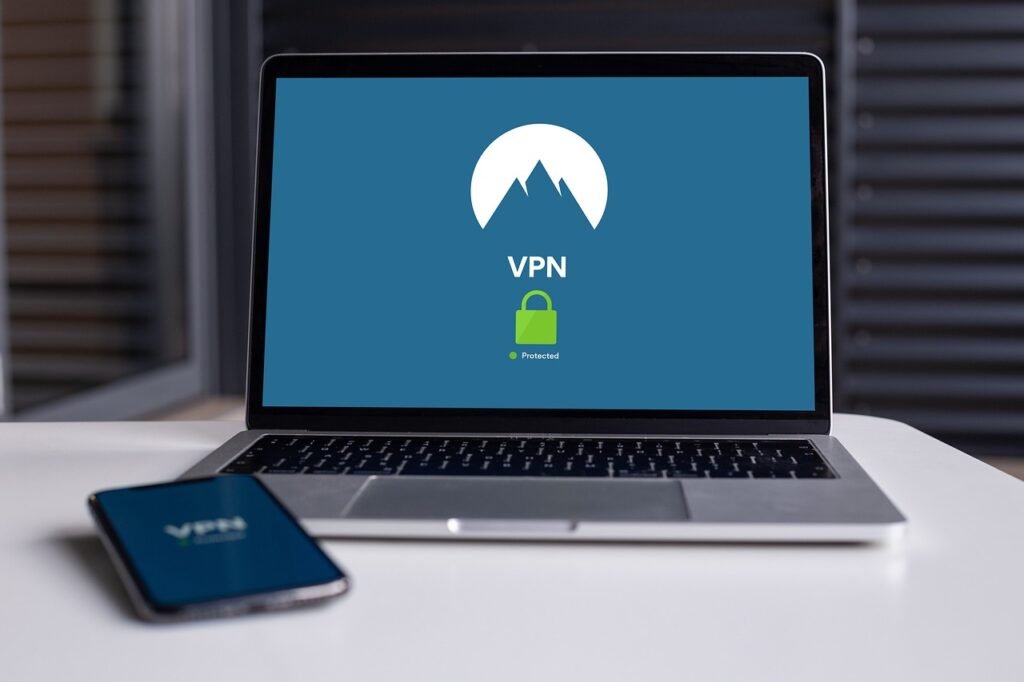
Protecting your computer system is no longer a luxury; it’s a necessity. In today’s digital age, where cyber threats are constantly evolving and becoming more sophisticated, understanding and implementing robust system protection measures is crucial for safeguarding your valuable data, maintaining operational efficiency, and preserving your peace of mind. This comprehensive guide will explore the essential aspects of system protection, providing you with practical strategies and actionable steps to fortify your digital defenses.
Understanding System Protection
System protection refers to the proactive measures and technologies implemented to defend your computer systems and data from unauthorized access, damage, or disruption. It encompasses a wide range of strategies, from basic security practices like strong passwords to advanced technologies like intrusion detection systems. A robust system protection strategy considers various layers of defense to mitigate potential risks effectively.
Why is System Protection Important?
Ignoring system protection can have dire consequences, ranging from data breaches and financial losses to reputational damage and legal liabilities. Here’s why it’s paramount:
- Data Security: Protects sensitive information, including personal data, financial records, and intellectual property, from falling into the wrong hands.
- Operational Continuity: Minimizes the risk of system downtime caused by malware attacks, hardware failures, or human errors, ensuring business operations run smoothly.
- Financial Protection: Prevents financial losses resulting from data breaches, ransomware attacks, fraud, and other cybercrimes.
- Reputation Management: Safeguards your company’s reputation by preventing data breaches that can erode customer trust and brand loyalty.
- Compliance: Helps meet regulatory requirements and industry standards related to data protection and privacy, avoiding potential fines and legal penalties.
Common Threats to System Security
Being aware of the threats your system faces is the first step toward effective protection. Some common threats include:
- Malware: Viruses, worms, Trojans, ransomware, and spyware that can damage or compromise your system.
- Phishing: Deceptive emails, websites, or messages designed to trick users into revealing sensitive information.
- Hacking: Unauthorized access to your system by malicious actors.
- Social Engineering: Manipulating individuals into divulging confidential information or performing actions that compromise security.
- Insider Threats: Security breaches caused by employees, contractors, or other individuals with authorized access to your system.
- Denial-of-Service (DoS) and Distributed Denial-of-Service (DDoS) Attacks: Overwhelming your system with traffic, making it unavailable to legitimate users.
Essential Security Software
Implementing the right security software is a cornerstone of effective system protection. These tools provide real-time monitoring, threat detection, and proactive defense against various cyber threats.
Antivirus Software
Antivirus software is designed to detect, prevent, and remove malware from your system. Modern antivirus solutions offer advanced features like:
- Real-time scanning: Continuously monitors your system for malicious activity.
- Heuristic analysis: Identifies new or unknown threats based on their behavior.
- Web protection: Blocks access to malicious websites and prevents phishing attacks.
- Behavioral monitoring: Detects suspicious activity based on patterns and anomalies.
- Example: Regularly updating your antivirus software ensures it can recognize and combat the latest threats. Schedule automatic scans to proactively identify and remove any malware that may have slipped through.
Firewall
A firewall acts as a barrier between your system and the outside world, controlling network traffic and blocking unauthorized access.
- Network firewall: Protects your entire network from external threats.
- Host-based firewall: Protects individual computers from network-based attacks.
- Example: Configuring your firewall to block incoming connections from unknown sources can prevent hackers from gaining access to your system. Enable the firewall that comes built-in with your operating system and consider a dedicated firewall for enhanced protection.
Intrusion Detection and Prevention Systems (IDPS)
IDPS solutions monitor network traffic for suspicious activity and automatically take action to block or mitigate threats.
- Intrusion detection systems (IDS): Detect malicious activity and generate alerts.
- Intrusion prevention systems (IPS): Automatically block or mitigate detected threats.
- Example: Setting up an IDPS can help you detect and respond to advanced attacks that might bypass your firewall or antivirus software.
Secure Configuration and Maintenance
Proper configuration and ongoing maintenance are essential for maintaining a secure system. Neglecting these aspects can create vulnerabilities that attackers can exploit.
Strong Passwords and Multi-Factor Authentication (MFA)
Using strong, unique passwords and enabling MFA can significantly reduce the risk of unauthorized access.
- Strong passwords: Should be at least 12 characters long and include a mix of uppercase and lowercase letters, numbers, and symbols.
- Multi-Factor Authentication (MFA): Adds an extra layer of security by requiring users to provide multiple forms of identification, such as a password and a code from their mobile device.
- Example: Instead of using easily guessable passwords like “password123” or your pet’s name, opt for a passphrase generated by a password manager. Enable MFA on all your important accounts, including email, banking, and social media.
Software Updates and Patch Management
Regularly updating your software is crucial for patching security vulnerabilities and preventing attackers from exploiting known flaws.
- Operating system updates: Provide security patches, bug fixes, and performance improvements.
- Application updates: Address vulnerabilities in software programs and improve stability.
- Example: Enable automatic updates for your operating system and applications to ensure you’re always running the latest, most secure versions. Regularly check for updates manually to avoid relying solely on automatic updates.
User Account Management
Properly managing user accounts can prevent unauthorized access and limit the potential impact of security breaches.
- Principle of least privilege: Grant users only the minimum level of access they need to perform their job duties.
- Regular account audits: Review user accounts and permissions to ensure they are still appropriate.
- Disable or remove inactive accounts: Prevent attackers from using dormant accounts to gain access to your system.
- Example: Avoid giving all employees administrative privileges on their computers. Instead, grant them standard user accounts and provide elevated privileges only when necessary.
Data Backup and Recovery
Data backup and recovery are essential for protecting your data from loss due to hardware failures, malware attacks, or other disasters.
Backup Strategies
Choose a backup strategy that meets your needs and ensures you can quickly recover your data in the event of a disaster.
- Regular backups: Perform backups on a regular schedule, such as daily, weekly, or monthly.
- Offsite backups: Store backups in a separate location to protect them from physical damage or theft.
- Cloud backups: Utilize cloud storage services to back up your data securely.
- Example: Implement the 3-2-1 backup rule: keep three copies of your data on two different media, with one copy stored offsite. Cloud backup services offer automated backups and secure storage, providing peace of mind.
Disaster Recovery Planning
Develop a disaster recovery plan that outlines the steps you’ll take to restore your systems and data in the event of a disaster.
- Identify critical systems and data: Determine which systems and data are essential for your business operations.
- Establish recovery time objectives (RTOs) and recovery point objectives (RPOs): Define the maximum acceptable downtime and data loss.
- Test your disaster recovery plan regularly: Ensure your plan is effective and that you can recover your systems and data quickly and efficiently.
- Example: Create a detailed disaster recovery plan that includes instructions for restoring your systems from backups, contacting key personnel, and communicating with customers and stakeholders. Regularly test your plan by simulating a disaster scenario to identify any weaknesses and improve your recovery process.
Conclusion
Protecting your system is an ongoing process that requires a multi-faceted approach. By understanding the threats, implementing essential security software, practicing secure configuration and maintenance, and establishing data backup and recovery procedures, you can significantly reduce your risk of falling victim to cyberattacks and ensure the safety and security of your valuable data. Stay vigilant, stay informed, and prioritize system protection to safeguard your digital assets.





