
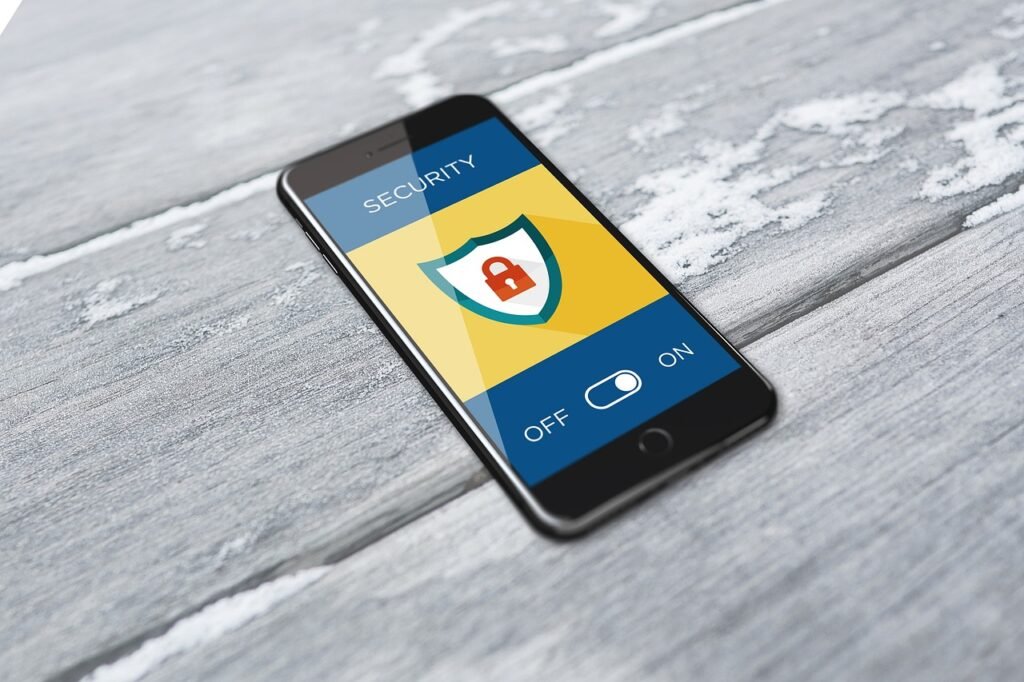
In today’s digital landscape, where our lives are increasingly intertwined with technology, maintaining good cyber hygiene is no longer optional – it’s essential for protecting your personal information, finances, and overall well-being. Just as we prioritize personal hygiene to stay healthy, adopting sound cyber hygiene habits can significantly reduce your risk of falling victim to cyber threats. This post will guide you through the fundamental practices of cyber hygiene to help you build a robust defense against the ever-evolving threat landscape.
The Foundation of Cyber Hygiene: Strong Passwords and Multi-Factor Authentication
Your online accounts are the gateways to your personal data, making password security paramount. A weak password is like leaving your front door unlocked, inviting trouble. Coupled with strong passwords, Multi-Factor Authentication (MFA) adds an extra layer of security.
Creating Strong Passwords
- Length Matters: Aim for passwords with at least 12 characters. The longer, the better.
- Complexity is Key: Mix uppercase and lowercase letters, numbers, and symbols. Avoid using easily guessable information like your name, birthday, or pet’s name.
- Password Managers are Your Friend: Use a reputable password manager to generate and store strong, unique passwords for each of your accounts. This eliminates the need to remember multiple complex passwords.
– Example: Popular password managers include LastPass, 1Password, and Dashlane.
- Avoid Password Reuse: Never use the same password for multiple accounts. If one account is compromised, all accounts using the same password are at risk.
Implementing Multi-Factor Authentication (MFA)
MFA adds an extra layer of security beyond your password. Even if someone manages to crack your password, they will still need a second factor to access your account.
- Types of MFA:
– Authenticator Apps: Generate time-based codes on your smartphone (e.g., Google Authenticator, Authy).
– SMS Codes: Receive a code via text message. While convenient, SMS codes are less secure than authenticator apps.
– Hardware Security Keys: Physical devices that plug into your computer or mobile device (e.g., YubiKey). These offer the highest level of security.
- Enable MFA Everywhere Possible: Prioritize enabling MFA for your most important accounts, such as email, banking, and social media.
- Recovery Codes: When setting up MFA, store your recovery codes in a safe place. These codes can be used to regain access to your account if you lose access to your MFA device.
Software Updates: Patching the Holes in Your Digital Armor
Software vulnerabilities are like cracks in your digital armor. Hackers exploit these vulnerabilities to gain access to your devices and data. Keeping your software up to date is crucial for patching these vulnerabilities.
Operating System Updates
- Enable Automatic Updates: Configure your operating system (Windows, macOS, iOS, Android) to automatically download and install updates.
- Don’t Ignore Notifications: If you see a notification to update your operating system, do it promptly. These updates often include critical security patches.
Application Updates
- Update Regularly: Regularly update all your applications, including web browsers, antivirus software, and other software you use frequently.
- Beware of Fake Updates: Be cautious of pop-up ads or emails claiming to be software updates. Download updates only from the official website of the software vendor.
- Retire Outdated Software: If you’re using software that is no longer supported by the vendor, consider replacing it with a more secure alternative. Unsupported software is more vulnerable to exploits.
The Importance of Timely Updates
- Reduces Vulnerability Window: The faster you install updates, the smaller the window of opportunity for hackers to exploit vulnerabilities.
- Addresses Known Security Flaws: Updates often include patches for publicly known security flaws, making your system less susceptible to attacks.
Safe Browsing Habits: Navigating the Digital World with Caution
The internet is full of potential threats, from phishing scams to malicious websites. Practicing safe browsing habits can help you avoid these dangers.
Identifying Phishing Scams
- Check the Sender’s Email Address: Be wary of emails from unknown senders or those with suspicious-looking email addresses.
- Beware of Urgent Requests: Phishing emails often create a sense of urgency, pressuring you to take immediate action.
- Inspect Links Carefully: Before clicking on a link in an email or on a website, hover over it to see where it leads. If the link looks suspicious, don’t click it.
- Never Share Sensitive Information via Email: Legitimate organizations will never ask you to provide your password, Social Security number, or other sensitive information via email.
Recognizing Malicious Websites
- Look for the “HTTPS” Protocol: Secure websites use the “HTTPS” protocol, which encrypts the data transmitted between your computer and the website. Look for the padlock icon in the address bar.
- Check the Website’s Domain Name: Be wary of websites with domain names that are similar to legitimate websites but with slight variations or misspellings.
- Use a Web Filter: Consider using a web filter to block access to known malicious websites.
- Trust Your Gut: If a website feels suspicious, err on the side of caution and avoid it.
Safe Downloading Practices
- Download from Trusted Sources Only: Download software, apps, and files only from official websites or reputable app stores.
- Scan Downloaded Files: Before opening downloaded files, scan them with antivirus software to check for malware.
- Be Wary of Free Downloads: Be cautious of free downloads that seem too good to be true. They may be bundled with malware or adware.
Data Backup and Recovery: Protecting Your Precious Information
Data loss can occur due to hardware failure, malware infections, or accidental deletion. Regularly backing up your data is crucial for ensuring that you can recover your information in the event of a disaster.
Backup Strategies
- The 3-2-1 Rule: Follow the 3-2-1 rule of backup: Keep three copies of your data, on two different types of storage media, with one copy stored offsite.
- Cloud Backup: Use a cloud backup service to automatically back up your data to a secure offsite location.
– Example: Popular cloud backup services include Backblaze, Carbonite, and IDrive.
- External Hard Drive: Back up your data to an external hard drive and store it in a safe place.
- NAS (Network Attached Storage): Use a NAS device to store backups on your local network.
Testing Your Backups
- Regularly Test Restores: Periodically test your backups to ensure that you can successfully restore your data.
- Verify Data Integrity: After restoring your data, verify that all files are intact and accessible.
Developing a Recovery Plan
- Document Your Backup Procedures: Create a detailed document outlining your backup procedures, including the frequency of backups and the location of your backup files.
- Identify Critical Data: Prioritize backing up your most critical data, such as important documents, photos, and financial records.
Conclusion
Implementing strong cyber hygiene habits is an ongoing process, not a one-time task. By adopting these practices, you can significantly reduce your risk of becoming a victim of cybercrime. Remember to stay informed about the latest threats and adapt your security practices accordingly. By taking proactive steps to protect your digital life, you can enjoy the benefits of technology with greater confidence and peace of mind.







