
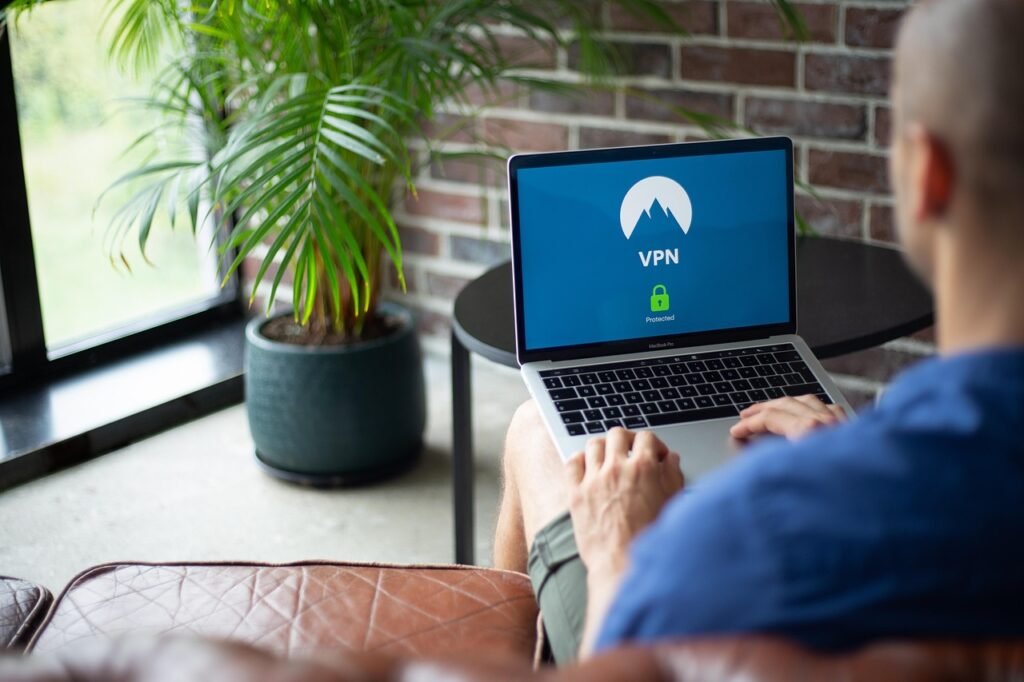
Protecting your PC in today’s digital landscape is no longer optional; it’s a necessity. With cyber threats constantly evolving, from sneaky viruses to aggressive ransomware, having a robust antivirus solution is your first and often most important line of defense. But with so many options available, choosing the right antivirus software can feel overwhelming. This guide will break down the key aspects of antivirus protection, helping you make an informed decision to safeguard your valuable data and ensure a smooth and secure computing experience.
Understanding the Importance of Antivirus for Your PC
Why is Antivirus Software Essential?
Antivirus software acts as a shield, constantly monitoring your PC for malicious software (malware). This malware can take many forms, including viruses, worms, Trojans, ransomware, spyware, and adware. Without antivirus protection, your PC is vulnerable to:
- Data theft: Cybercriminals can steal your personal information, financial data, and sensitive documents.
- System damage: Malware can corrupt your operating system, leading to system crashes, data loss, and the need for costly repairs.
- Financial loss: Ransomware can encrypt your files and demand payment for their release.
- Identity theft: Stolen personal information can be used to open fraudulent accounts, make unauthorized purchases, and commit other forms of identity theft.
- Reduced performance: Malware can consume system resources, slowing down your PC and making it less efficient.
The cost of a good antivirus is minimal compared to the potential damages caused by a malware infection.
Common Types of Malware
Being aware of the different types of malware is crucial for understanding how antivirus software works and why comprehensive protection is essential. Here are some common examples:
- Viruses: Self-replicating programs that attach themselves to other files or programs.
- Worms: Self-replicating malware that can spread across networks without human interaction.
- Trojans: Malware disguised as legitimate software that can perform malicious actions once installed.
- Ransomware: Malware that encrypts your files and demands payment for their decryption.
- Spyware: Malware that secretly monitors your online activity and collects personal information.
- Adware: Malware that displays unwanted advertisements and can redirect you to malicious websites.
The Evolution of Threats: Staying Ahead of the Curve
Cyber threats are constantly evolving. New malware strains are developed every day, making it crucial to have antivirus software that is regularly updated with the latest threat signatures and detection techniques. Outdated antivirus software is like a castle with crumbling walls, easily breached by modern attacks.
Key Features to Look for in Antivirus Software
Real-Time Scanning
Real-time scanning is arguably the most important feature of any antivirus software. It constantly monitors your PC for suspicious activity and automatically blocks or quarantines threats as they are detected. This proactive approach prevents malware from infecting your system in the first place.
Example: If you download a file containing a virus, real-time scanning should immediately identify the threat and prevent it from executing.
Comprehensive Scanning Options
Beyond real-time scanning, good antivirus software offers various scanning options to cater to different needs:
- Full System Scan: A thorough scan of your entire PC, including all files, programs, and storage devices. This is ideal for detecting deeply embedded malware.
- Quick Scan: A faster scan of critical system areas, such as the operating system, startup programs, and commonly infected files. This is useful for routine checks.
- Custom Scan: Allows you to select specific files, folders, or drives to scan. This is helpful if you suspect a particular area of your PC may be infected.
- Scheduled Scans: Automates regular scans to ensure continuous protection. You can set the frequency and time of day for scheduled scans.
Behavior Monitoring
Behavior monitoring analyzes the behavior of programs and processes running on your PC. If a program starts exhibiting suspicious activity, such as attempting to modify system files or connect to unusual network addresses, behavior monitoring can detect and block it, even if the program is not recognized as known malware.
Example: A seemingly harmless application might try to silently install additional software in the background. Behavior monitoring would flag this action as suspicious and alert you.
Firewall Protection
A firewall acts as a barrier between your PC and the internet, controlling network traffic and blocking unauthorized access. While Windows comes with a built-in firewall, many antivirus programs offer enhanced firewall protection with additional features, such as intrusion detection and prevention.
Additional Security Features
Many antivirus programs offer a range of additional security features to enhance your overall protection:
- Webcam protection: Prevents unauthorized access to your webcam.
- Password manager: Securely stores and manages your passwords.
- VPN (Virtual Private Network): Encrypts your internet traffic and hides your IP address, protecting your privacy online.
- Anti-phishing: Protects you from phishing scams by identifying and blocking malicious websites.
- Safe browsing: Warns you about potentially dangerous websites before you visit them.
- Ransomware protection: Specifically designed to detect and block ransomware attacks.
Choosing the Right Antivirus Software
Paid vs. Free Antivirus
While free antivirus programs offer basic protection, paid versions typically provide more comprehensive features and better performance.
- Free Antivirus: Good for basic protection against common threats. Often includes real-time scanning and basic malware removal.
– Example: Avast Free Antivirus, AVG Free Antivirus.
- Paid Antivirus: Offers advanced features, such as behavior monitoring, firewall protection, ransomware protection, and VPN. Often includes priority customer support.
– Example: Norton 360, McAfee Total Protection, Bitdefender Total Security.
Consider your individual needs and budget when choosing between a free and paid antivirus solution. If you handle sensitive data or frequently browse the internet, a paid antivirus program is generally recommended.
Compatibility and System Requirements
Before installing any antivirus software, make sure it is compatible with your operating system and meets the minimum system requirements. Installing incompatible software can lead to performance issues and system instability. Check the software vendor’s website for compatibility information.
User Reviews and Independent Testing
Read user reviews and consult independent testing reports from reputable sources, such as AV-Test and AV-Comparatives, to get an unbiased assessment of the antivirus software’s performance, features, and effectiveness. These tests evaluate antivirus software against a wide range of malware samples and provide valuable insights into their capabilities.
Consider Your Specific Needs
Think about how you use your computer. Are you a gamer? Do you work from home and handle sensitive information? Tailor your antivirus choice to your lifestyle. Some antiviruses offer specialized features like “game mode” to minimize performance impact during gaming, or enhanced privacy features for remote workers.
Maintaining Optimal Antivirus Protection
Keep Your Antivirus Software Up-to-Date
Regularly update your antivirus software to ensure it has the latest threat signatures and detection techniques. Most antivirus programs offer automatic updates, which is the recommended option.
Run Regular Scans
Schedule regular scans to detect and remove any malware that may have slipped past real-time protection. A full system scan at least once a week is a good practice.
Be Cautious Online
Practice safe browsing habits to minimize your risk of infection. Avoid clicking on suspicious links, downloading files from untrusted sources, and opening email attachments from unknown senders.
Use Strong Passwords
Use strong, unique passwords for all your online accounts. A password manager can help you generate and store strong passwords securely.
Back Up Your Data Regularly
Regularly back up your important files to an external hard drive, cloud storage, or other secure location. In the event of a malware infection or system failure, you can restore your data from the backup.
Conclusion
Choosing and using the right antivirus software is a critical step in protecting your PC from the ever-evolving landscape of cyber threats. By understanding the different types of malware, the key features to look for in antivirus software, and the importance of maintaining optimal protection, you can significantly reduce your risk of infection and safeguard your valuable data. Invest the time to research and select the antivirus solution that best meets your needs and stay vigilant in your online activities. Your peace of mind and digital security are worth it.





