
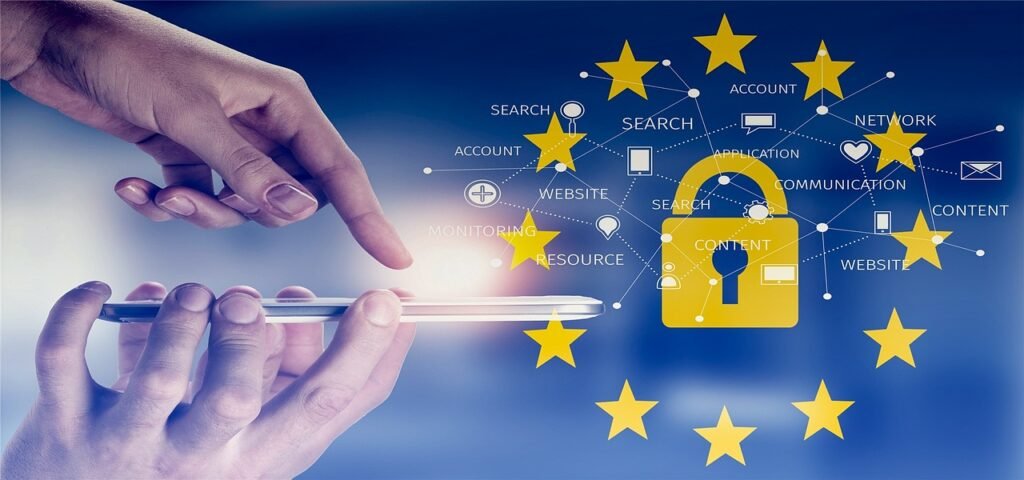
Keeping our digital lives safe and secure is more critical than ever. From personal data to sensitive business information, the constant threat of cyberattacks looms large. Just like maintaining personal hygiene protects our physical health, practicing good cyber hygiene is essential for protecting our digital well-being. This involves establishing and consistently following a set of practices to ensure the safety and integrity of our devices, networks, and data. Let’s explore the key components of effective cyber hygiene and how you can implement them in your daily life.
Understanding Cyber Hygiene
What is Cyber Hygiene?
Cyber hygiene refers to the routine practices and habits that individuals and organizations implement to maintain the health and security of their IT systems, networks, and data. It’s about proactively minimizing risks and vulnerabilities to protect against cyber threats. Think of it as brushing your teeth for your digital world.
Why is Cyber Hygiene Important?
Good cyber hygiene offers a multitude of benefits, including:
- Reduced risk of malware infections: Regular scanning and software updates minimize vulnerabilities that malware can exploit.
- Protection of sensitive data: Strong passwords and encryption safeguard personal and business information.
- Prevention of identity theft: Monitoring accounts and practicing safe online behavior reduces the risk of identity theft.
- Improved system performance: Cleaning up unnecessary files and software can enhance device performance.
- Compliance with regulations: Many industries require specific cybersecurity measures to comply with data protection regulations.
The Cost of Neglecting Cyber Hygiene
The consequences of poor cyber hygiene can be severe. Data breaches, ransomware attacks, and identity theft can result in financial losses, reputational damage, and legal liabilities. A 2023 report by IBM indicated that the average cost of a data breach is over $4 million. Taking proactive steps to improve your cyber hygiene is a worthwhile investment in your security and peace of mind.
Essential Cyber Hygiene Practices
Strong Passwords and Password Management
One of the most fundamental aspects of cyber hygiene is using strong, unique passwords for all your accounts.
- Create complex passwords: Use a combination of uppercase and lowercase letters, numbers, and symbols. Aim for at least 12 characters.
- Avoid common words and phrases: Don’t use dictionary words, names, or easily guessable information.
- Use a password manager: A password manager can generate and store strong passwords securely. Examples include LastPass, 1Password, and Bitwarden.
- Enable multi-factor authentication (MFA): MFA adds an extra layer of security by requiring a second form of verification, such as a code sent to your phone, in addition to your password. Always enable MFA when available.
Software Updates and Patch Management
Keeping your software up-to-date is crucial for patching security vulnerabilities.
- Enable automatic updates: Configure your operating system, web browsers, and other software to automatically install updates.
- Install updates promptly: Don’t delay installing updates when prompted. These updates often include critical security fixes.
- Update third-party applications: Ensure that third-party applications, such as Adobe Reader and Java, are also up-to-date. These applications are often targeted by attackers.
- Regularly check for updates: Even with automatic updates enabled, periodically check for updates manually to ensure that everything is current.
Malware Protection and Prevention
Malware, including viruses, worms, and ransomware, can compromise your devices and data.
- Install antivirus software: Use a reputable antivirus program and keep it updated. Examples include Norton, McAfee, and Bitdefender.
- Scan your devices regularly: Perform regular scans of your devices to detect and remove malware.
- Be cautious of suspicious emails and attachments: Avoid clicking on links or opening attachments from unknown senders.
- Use a firewall: A firewall helps to block unauthorized access to your network and devices.
- Educate yourself about phishing: Phishing attacks often use social engineering techniques to trick you into revealing sensitive information. Learn to recognize phishing emails and websites.
Secure Browsing Habits
Your online behavior can significantly impact your cybersecurity.
- Use HTTPS: Ensure that websites you visit use HTTPS (Hypertext Transfer Protocol Secure), which encrypts data transmitted between your browser and the website. Look for the padlock icon in the address bar.
- Avoid clicking on suspicious links: Be cautious of links in emails, social media posts, and advertisements. Hover over links to preview the destination URL before clicking.
- Use a VPN on public Wi-Fi: A Virtual Private Network (VPN) encrypts your internet traffic and protects your data when using public Wi-Fi networks.
- Be careful what you share online: Avoid sharing sensitive information, such as your address, phone number, or financial details, on social media or unsecured websites.
- Use a reputable search engine: Some search engines prioritize user privacy and security more than others.
Cyber Hygiene for Businesses
Employee Training and Awareness
Human error is a significant factor in many cybersecurity incidents. Employee training is essential for promoting good cyber hygiene practices within an organization.
- Conduct regular training sessions: Provide employees with regular training on cybersecurity threats and best practices.
- Simulate phishing attacks: Conduct simulated phishing attacks to test employees’ awareness and identify areas for improvement.
- Establish clear security policies: Develop and communicate clear security policies to employees.
- Encourage reporting of suspicious activity: Create a culture where employees feel comfortable reporting suspicious activity.
- Focus on practical examples: Use real-world examples and scenarios to make the training more relevant and engaging.
Data Backup and Recovery
Data loss can occur due to various reasons, including hardware failure, malware attacks, and natural disasters.
- Implement a regular backup schedule: Back up your data regularly to an external hard drive, cloud storage, or other secure location.
- Test your backups: Periodically test your backups to ensure that they are working correctly and that you can restore your data if needed.
- Store backups securely: Store your backups in a secure location, away from the primary data source.
- Consider offsite backups: Offsite backups can protect your data in the event of a disaster at your primary location.
- Document the recovery process: Create a detailed recovery plan that outlines the steps needed to restore your data in the event of a loss.
Network Security Measures
Protecting your network is crucial for preventing unauthorized access and data breaches.
- Implement a firewall: Use a firewall to control network traffic and block unauthorized access.
- Secure your Wi-Fi network: Use a strong password for your Wi-Fi network and enable encryption (WPA2 or WPA3).
- Segment your network: Segment your network to isolate sensitive data and systems.
- Implement intrusion detection and prevention systems: Use intrusion detection and prevention systems to monitor network traffic for malicious activity.
- Regularly audit your network: Conduct regular audits of your network to identify and address security vulnerabilities.
Staying Updated on Emerging Threats
Keeping Up with the Latest Security News
The cyber threat landscape is constantly evolving. It’s essential to stay updated on the latest security news and trends.
- Follow cybersecurity blogs and news sites: Subscribe to cybersecurity blogs and news sites to stay informed about emerging threats.
- Attend cybersecurity conferences and webinars: Attend cybersecurity conferences and webinars to learn from industry experts.
- Join cybersecurity communities: Join online cybersecurity communities to share information and learn from others.
- Set up Google Alerts: Set up Google Alerts for relevant keywords, such as “cybersecurity,” “data breach,” and “ransomware,” to receive notifications about important news.
- Regularly review security advisories: Review security advisories from software vendors and security organizations.
Adapting Your Cyber Hygiene Practices
As new threats emerge, it’s important to adapt your cyber hygiene practices accordingly.
- Regularly review your security policies: Review and update your security policies regularly to reflect the latest threats and best practices.
- Implement new security measures: Implement new security measures as needed to address emerging threats.
- Educate yourself about new threats: Educate yourself about new threats and how to protect yourself and your organization.
- Stay flexible and adaptable: Be prepared to adjust your cyber hygiene practices as needed to stay ahead of the evolving threat landscape.
- Focus on continuous improvement: Cyber hygiene is an ongoing process, not a one-time task. Focus on continuous improvement to enhance your security posture.
Conclusion
Maintaining good cyber hygiene is an ongoing effort, but it’s an essential one in today’s digital world. By implementing the practices outlined above, individuals and organizations can significantly reduce their risk of falling victim to cyberattacks. Remember that cyber hygiene is not just a technical issue; it’s also a matter of personal responsibility and awareness. By making cyber hygiene a habit, you can protect your data, your devices, and your peace of mind. Embrace these principles and make them a part of your daily routine to navigate the digital world safely and securely.







