
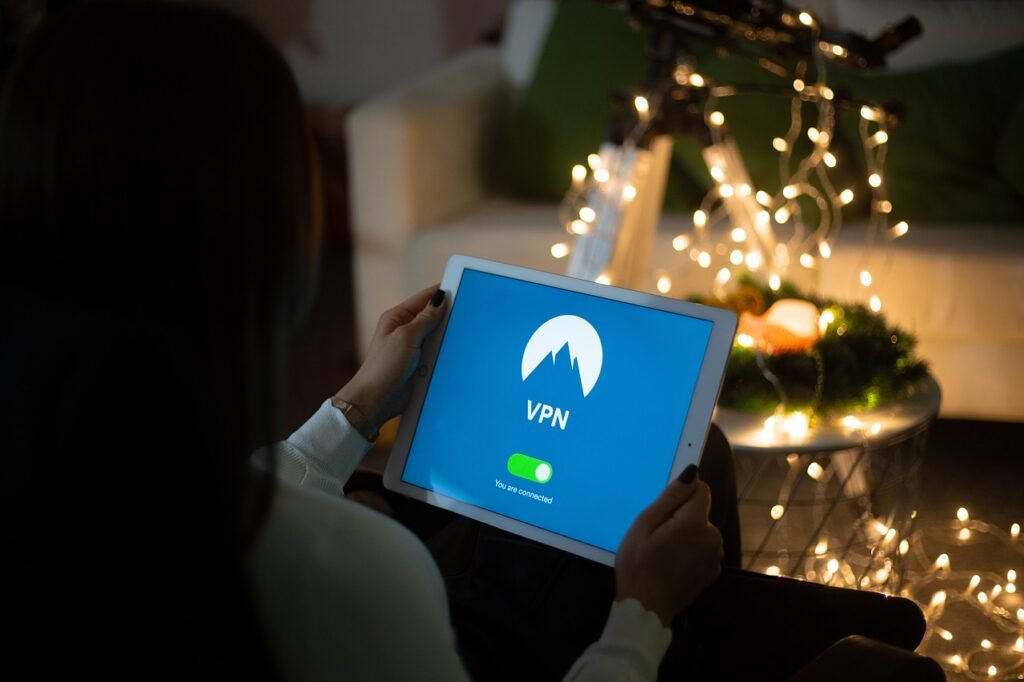
The shift to remote work has brought unprecedented flexibility and convenience, but it has also significantly expanded the attack surface for cyber threats. As employees work from home offices, coffee shops, or even while traveling, traditional security perimeters dissolve, creating new vulnerabilities. Protecting sensitive data and maintaining robust security in a remote work environment requires a comprehensive strategy that addresses device security, network protection, data privacy, and employee awareness. This guide outlines essential remote work security measures, providing practical tips and strategies to help businesses and individuals stay safe in the evolving digital landscape.
Securing Devices and Endpoints
Remote work relies heavily on personal and company-issued devices. Securing these endpoints is paramount to preventing data breaches and malware infections.
Implementing Strong Passwords and Multi-Factor Authentication (MFA)
- Strong Passwords: Passwords should be complex, unique, and regularly updated. Avoid using easily guessable information such as names, birthdates, or common words. Password managers can help employees create and securely store strong passwords for various accounts.
Example: Encourage employees to use passphrases instead of single words, combining multiple words with symbols and numbers for enhanced security.
- Multi-Factor Authentication (MFA): MFA adds an extra layer of security by requiring users to provide multiple verification factors, such as a password and a code sent to their mobile device.
Example: Implement MFA for all critical applications and services, including email, VPN, and cloud storage. According to a report by Microsoft, MFA can block over 99.9% of account compromise attacks.
Managing Device Security
- Antivirus and Anti-Malware Software: Ensure all devices have up-to-date antivirus and anti-malware software installed to detect and remove malicious threats.
Example: Use a centralized management system to monitor and update antivirus software across all remote devices.
- Software Updates and Patch Management: Regularly update operating systems and software applications to patch security vulnerabilities.
Example: Automate software updates where possible, and provide clear instructions for employees on how to update their devices manually.
- Endpoint Detection and Response (EDR): Consider deploying EDR solutions to monitor endpoint activity and detect suspicious behavior in real-time.
Example: EDR tools can help identify and respond to advanced threats that may bypass traditional antivirus solutions.
Data Encryption
- Full Disk Encryption: Encrypt hard drives to protect data in case a device is lost or stolen.
Example: Use BitLocker for Windows or FileVault for macOS to encrypt the entire hard drive.
- File Encryption: Encrypt sensitive files and folders to prevent unauthorized access.
Example: Utilize encryption tools built into operating systems or third-party encryption software to protect sensitive data.
Secure Network Connections
Remote workers often rely on public Wi-Fi networks, which can be vulnerable to eavesdropping and man-in-the-middle attacks. Secure network connections are crucial for protecting data in transit.
Virtual Private Networks (VPNs)
- VPN Benefits: A VPN creates an encrypted tunnel between the device and the corporate network, protecting data from interception.
Provides a secure connection when using public Wi-Fi.
Masks the user’s IP address and location.
Allows access to internal resources securely.
Example: Require employees to connect to the corporate VPN whenever accessing sensitive data or internal applications from outside the office network.
- Split Tunneling Considerations: While VPNs enhance security, split tunneling can introduce risks by allowing some traffic to bypass the VPN.
Example: Evaluate the risks and benefits of split tunneling and implement policies to minimize potential security issues. Consider directing all traffic through the VPN for highly sensitive data.
Securing Home Networks
- Router Security: Secure home routers with strong passwords and enable encryption (WPA3 is recommended). Update the router’s firmware regularly.
Example: Advise employees to change the default router password immediately upon installation and to disable remote management features.
- Firewall Protection: Enable the firewall on home routers to block unauthorized access.
Example: Provide guidance on how to configure firewall settings properly and ensure that the firewall is enabled at all times.
- Guest Networks: Create a separate guest network for visitors to prevent them from accessing the main network and sensitive data.
Example: Offer instructions on how to set up a guest network on their home router and emphasize the importance of keeping the main network secure.
Protecting Data and Applications
Securing data and applications in the cloud and on-premises is essential for maintaining confidentiality and integrity.
Cloud Security
- Access Controls: Implement strong access controls to restrict access to cloud resources based on the principle of least privilege.
Example: Use role-based access control (RBAC) to grant users only the permissions they need to perform their job functions.
- Data Loss Prevention (DLP): Deploy DLP solutions to prevent sensitive data from leaving the organization’s control.
Example: Configure DLP rules to detect and block the transmission of confidential information, such as credit card numbers or social security numbers, via email or file sharing.
- Cloud Security Posture Management (CSPM): Use CSPM tools to continuously monitor and assess the security posture of cloud environments.
Example: CSPM tools can identify misconfigurations, compliance violations, and other security risks in cloud environments.
Application Security
- Secure Coding Practices: Follow secure coding practices to develop applications that are resistant to vulnerabilities.
Example: Use static and dynamic analysis tools to identify and fix security flaws in application code.
- Regular Security Audits: Conduct regular security audits of applications to identify and address potential vulnerabilities.
Example: Perform penetration testing to simulate real-world attacks and assess the effectiveness of security controls.
- Web Application Firewall (WAF): Implement a WAF to protect web applications from common attacks, such as SQL injection and cross-site scripting.
Example: WAFs can filter malicious traffic and prevent attacks from reaching web applications.
Employee Training and Awareness
Employees are often the first line of defense against cyber threats. Comprehensive training and awareness programs are essential for educating them about security risks and best practices.
Security Awareness Training
- Phishing Simulations: Conduct regular phishing simulations to test employees’ ability to identify and avoid phishing attacks.
Example: Send simulated phishing emails to employees and provide feedback on their responses. Track the results to identify areas where additional training is needed.
- Social Engineering Awareness: Educate employees about social engineering tactics and how to recognize and avoid them.
Example: Provide training on how to identify suspicious emails, phone calls, and requests for information.
- Data Privacy Training: Train employees on data privacy regulations and best practices for handling sensitive data.
Example: Explain the requirements of GDPR, CCPA, and other relevant data privacy laws.
Remote Work Best Practices
- Secure Communication: Encourage employees to use secure communication channels, such as encrypted email and messaging apps, for sensitive conversations.
Example: Provide training on how to use encryption tools and secure messaging platforms.
- Device Security Best Practices: Provide clear guidelines on how to secure devices, including password management, software updates, and data encryption.
Example: Create a checklist of security best practices for employees to follow.
- Incident Reporting: Establish a clear process for reporting security incidents and encourage employees to report any suspicious activity immediately.
* Example: Provide a dedicated email address or phone number for reporting security incidents.
Conclusion
Implementing robust remote work security measures is essential for protecting sensitive data, maintaining business continuity, and mitigating cyber risks. By securing devices and endpoints, ensuring secure network connections, safeguarding data and applications, and providing comprehensive employee training, organizations can create a resilient security posture that supports remote work effectively. A proactive and comprehensive approach to remote work security is not just a best practice; it’s a necessity in today’s evolving digital landscape. By prioritizing security, businesses can empower their remote workforce to operate safely and efficiently, ensuring long-term success and protecting valuable assets.







